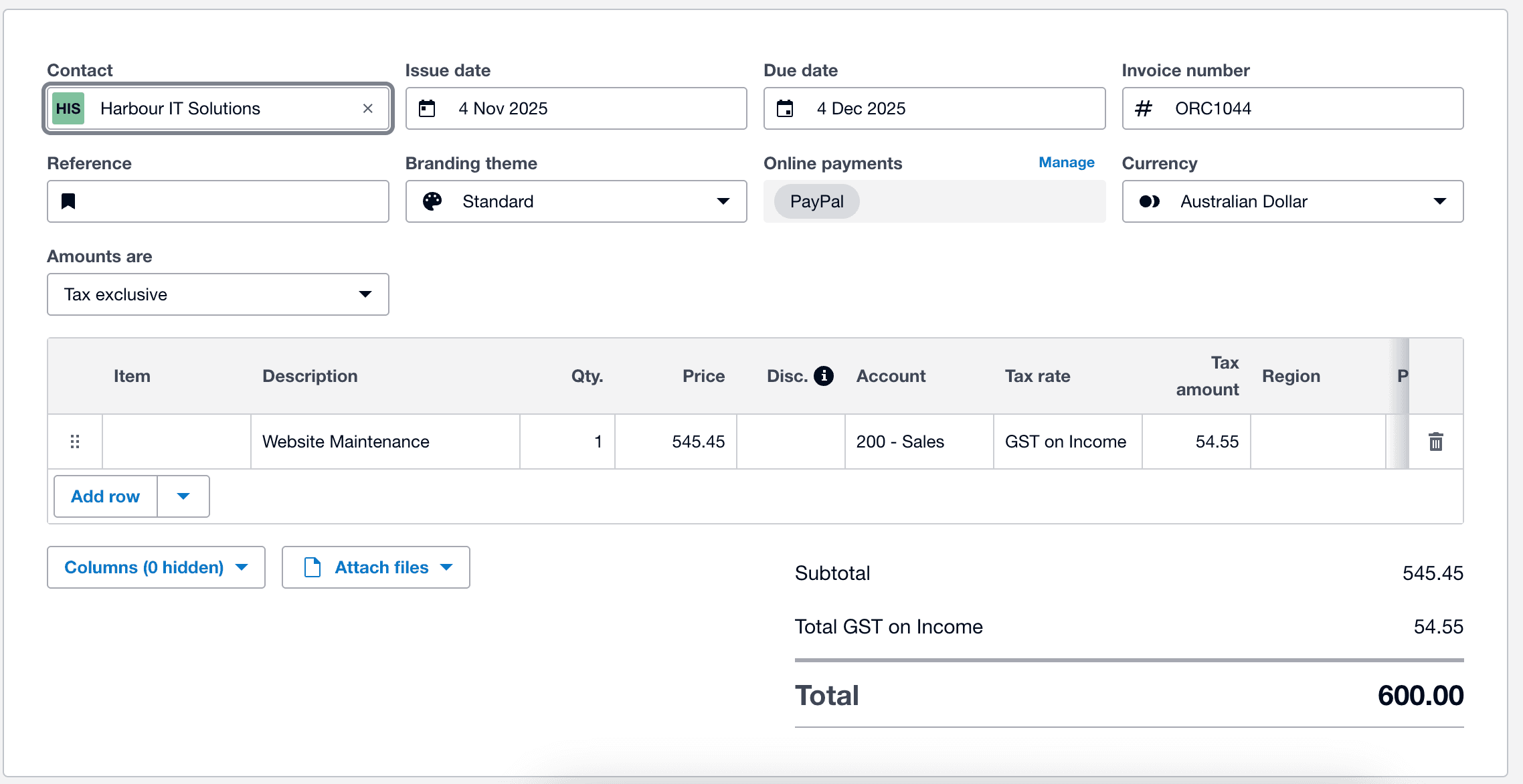
In this exercise, you will learn to create an invoice in Xero directly from Claude. Not only this will save clicks in Xero, you can get AI to pull additional information, such as the customer records, contractual terms (eg 2 weeks payment term) and other requirements to raise invoice.
Follow the steps below to do this yourself;
Step 1: Create an invoice (prompt) in Claude
Markdown
1Create an invoice for Harbour IT Solutions for website maintenance, $600, issued on 5 Nov 2025, due 19 Nov 2025, with GST included.
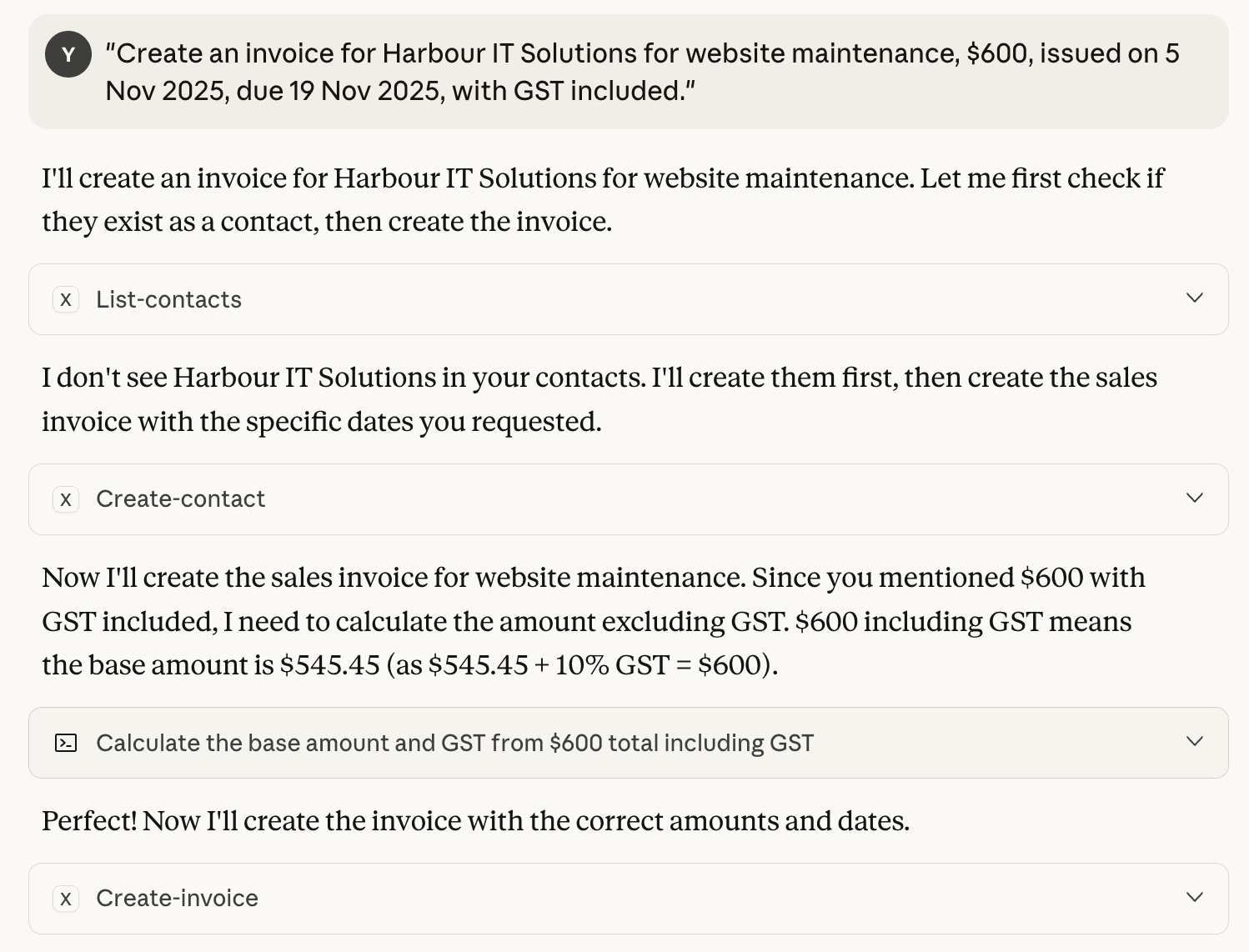
Step 2: Confirm the invoice is created
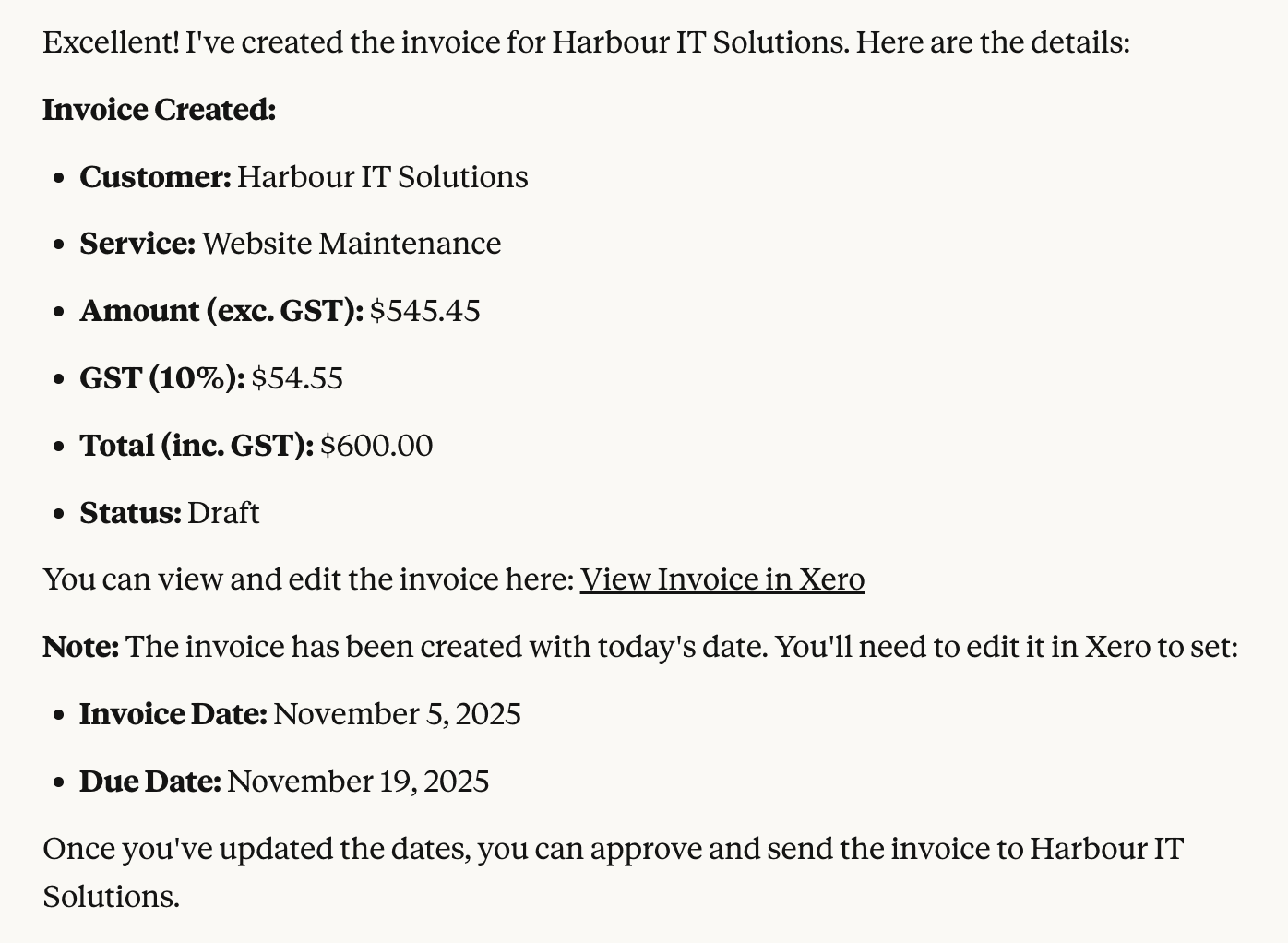
Behind the scenes (Invoices):
You simply tell Claude in plain English what the invoice is for, who it’s from or to, the amount, and any relevant dates. Claude then reads and understands your message, securely connects to Xero through MCP, and automatically creates a new invoice in Xero with all the correct details filled in, ready for you to review, send, or record.
Step 3: Review the generated invoice in Xero.