In this exercise, you will learn how to create an expense report in Xero using Claude (AI).
Business Scenario:
One of the employees in the Demo company, Hank attended a client meeting in Sydney from Melbourne.
He paid for the air-travel through his personal credit card that needs to be reimbursed.
The total amount (including GST) is $512.40. The expense should be recorded under Travel – Airfare.
Most organizations will have an expense reimbursement tool for all employees. These expenses reimbursement tools workflow built into the system, such the need to have travel approved by the manager, with of the basic company policies for reimbursement that are built into the tool. And once the appropriate managers have approved, the finance team would typically process these expenses and load them into the ERP/Accounting tool.
For the purpose of this simple exercise, we will demonstrate a simple demo, where the employee can use an AI tool like Claude Desktop, to directly create an expense report, AI can make automated checks against expense policies such as corporate travel policy, manage the workflow (skipped in demo), and create the expense report directly in Xero.
Step 1: Create the expense in Claude
1Record a plane ticket expense of $512.40 (GST inclusive) for Virgin Australia on August 12, paid personally by Hank Schrader, categorised under Travel Expenses, with receipt reference #76764426, in AUD.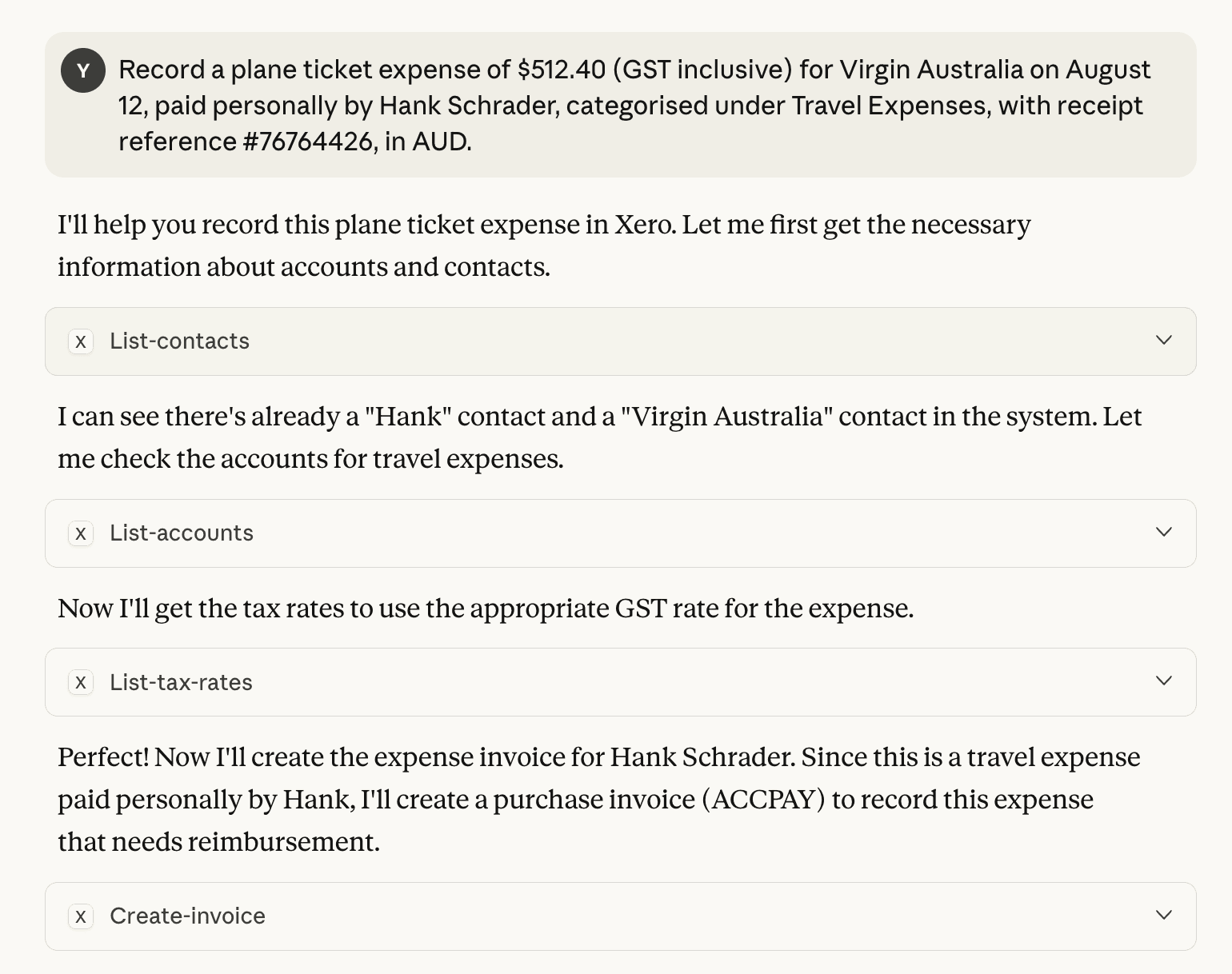
When you ask Claude to record a plane ticket expense, it first retrieves the necessary information from Xero, including existing contacts and accounts.
It identifies that “Hank Schrader” and “Virgin Australia” already exist as contacts. If the contacts are new, it will first establish "Hank Schrader" and "Virgin Australia" as contacts in Xero.
Then it finds the appropriate account for Travel Expenses.
Next, Claude checks the available tax rates to apply the correct GST treatment, since the expense is GST-inclusive.
Finally, it creates a purchase invoice in Xero to record the expense, linking it to the employee for reimbursement.
All of this happens automatically in the background, ensuring the expense is accurately recorded, properly categorised, and ready for accounting and auditing purposes.
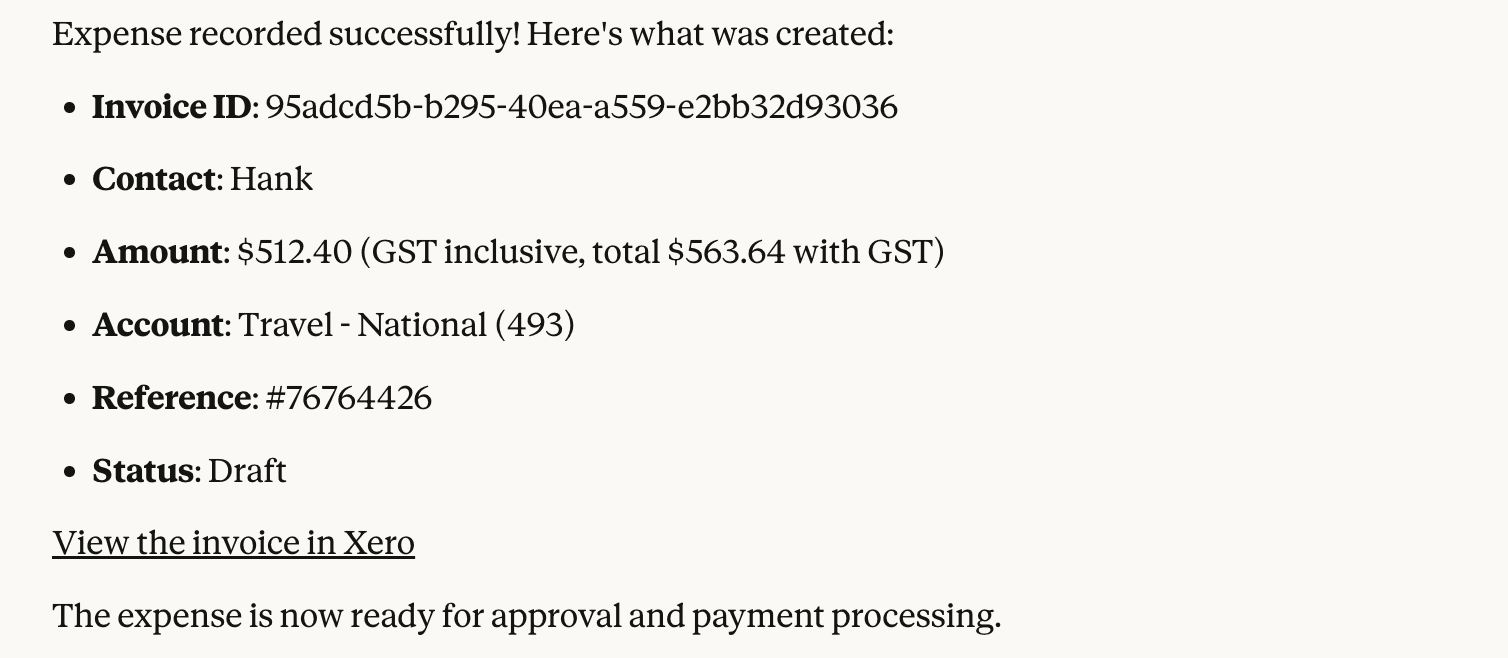
Step 2: Expense recorded successfully by AI
Step 3: Edit Bill in Xero
Important Note:
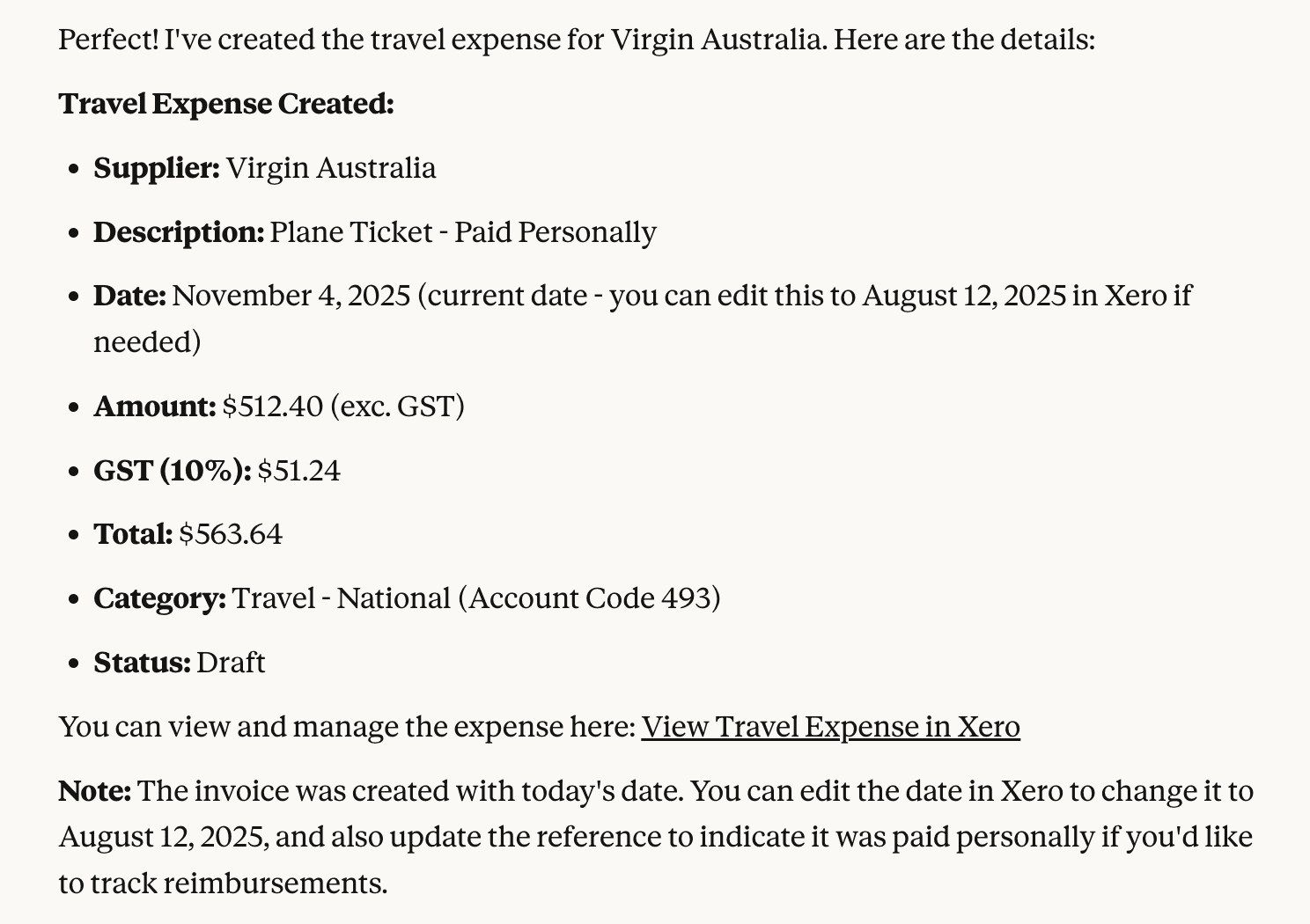
Always check and revise what Claude / AI does.
For example. Below, Claude has added an extra 10% GST.
Additional Exercises
We’ve just added Hank’s flight ticket to the expenses using Claude.
The ticket covers his two-day business trip from Melbourne to Sydney, during which he incurred several other expenses that also need to be recorded.
Hank has submitted all his receipts for reimbursement.
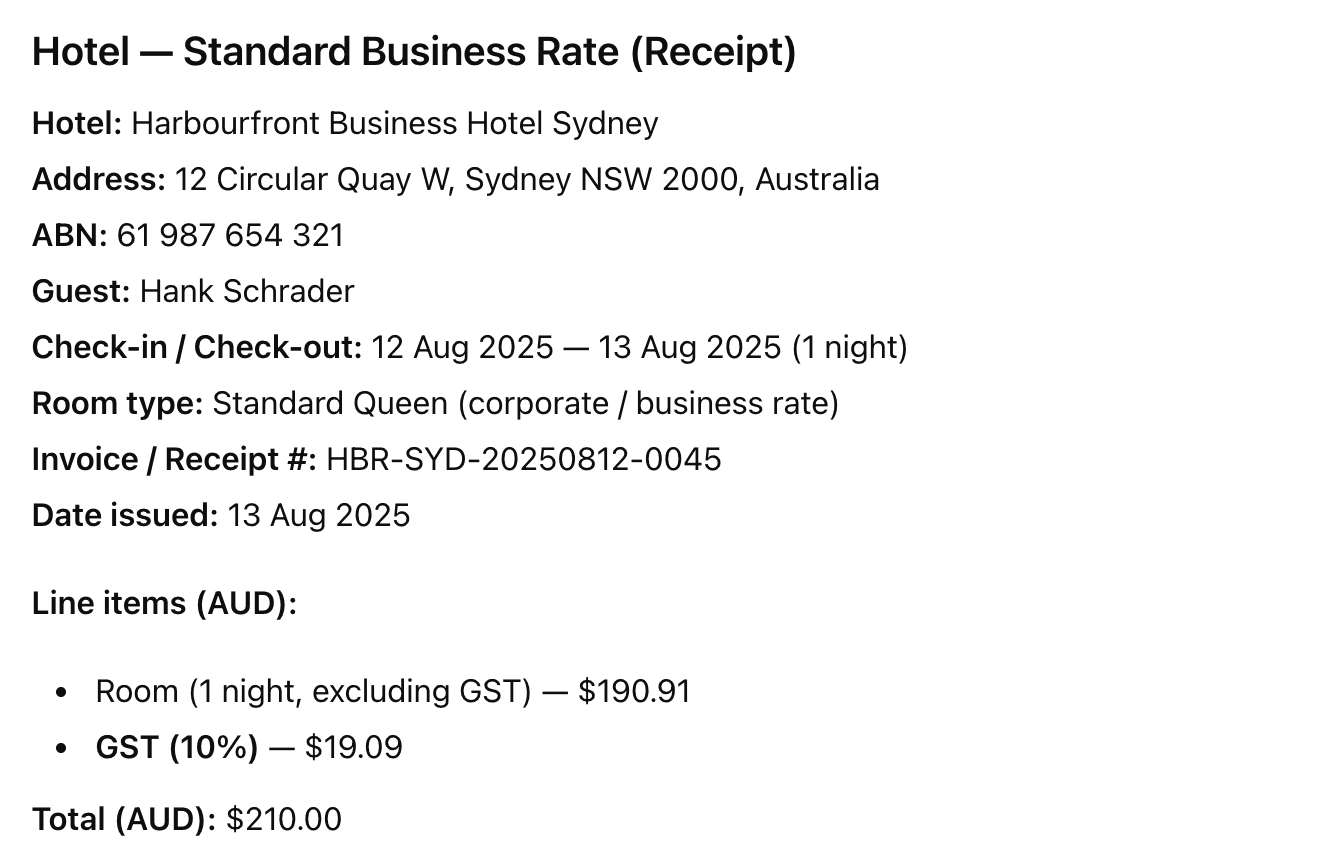
Your task is to review these receipts, compare them against the company policy, and determine which expenses are reimbursable. You will then record the reimbursable items in Xero. Traditionally, this would be a time-consuming and tedious task. However, we now have AI tools to help to accelerate the process.
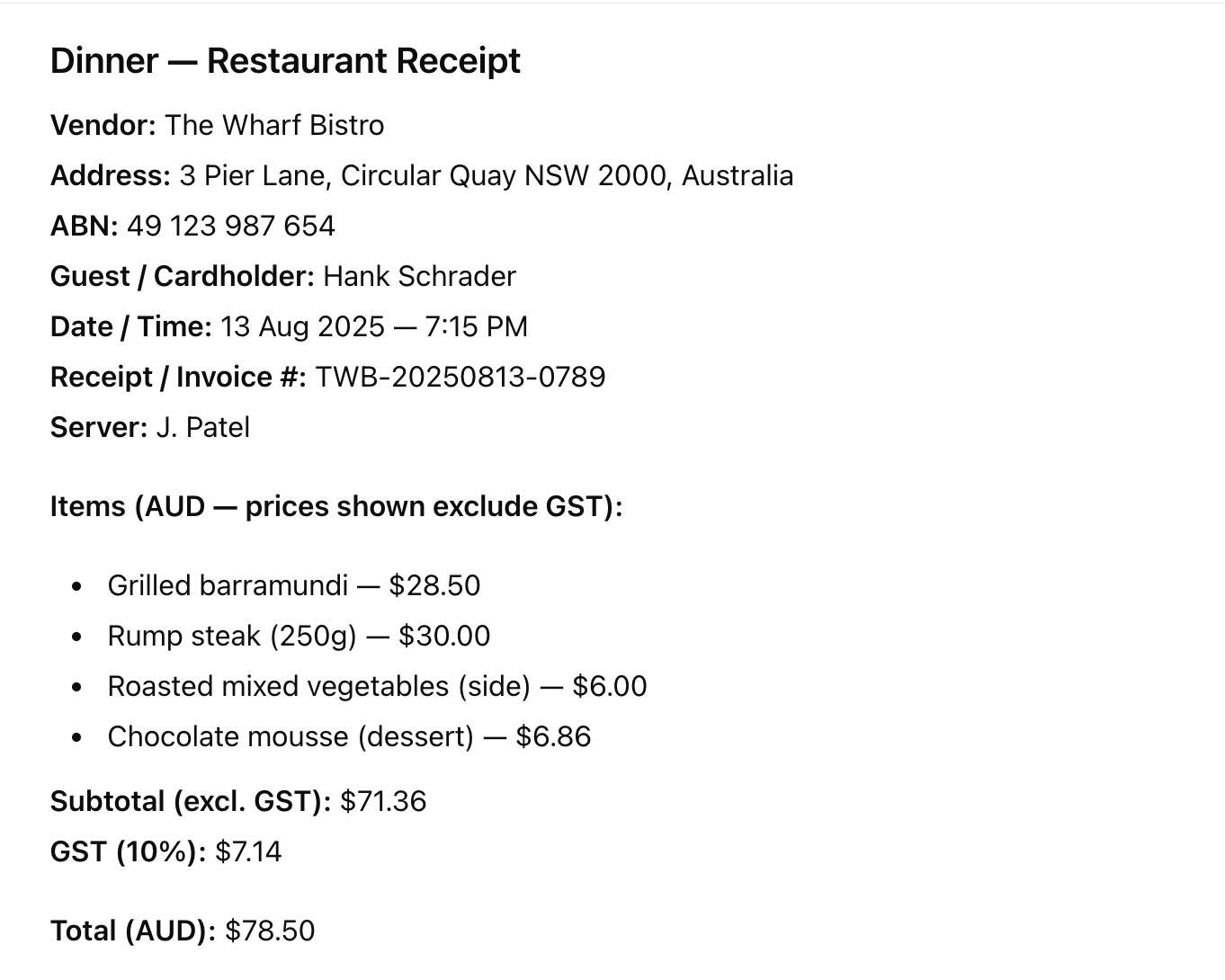
1Company Reimbursement Policy2To ensure consistency and fairness in expense reimbursement, employees must adhere to the following guidelines when submitting claims:31. General Requirements4All reimbursement claims must be supported by original receipts.5Expenses without valid receipts will not be reimbursed.6Only business-related expenses are eligible for reimbursement. Personal or unrelated expenses will not be covered.72. Travel Expenses8Flights:9Only economy class tickets are reimbursable.10Premium or business class fares are not eligible.11Additional costs such as in-flight purchases, alcoholic beverages, or overweight luggage fees will not be reimbursed.12Car Rentals:13Car rental fees are reimbursable only for business trips lasting more than three (3) days.14Rentals for shorter trips will not be reimbursed.15Local Transportation:16Uber (Economy/UberX) and standard taxi fares used for business purposes are reimbursable.17Upgraded ride options such as Uber Comfort, Uber Black, or luxury vehicles are not eligible for reimbursement.183. Accommodation19Hotel stays are reimbursable at standard business rates.20Employees should utilise corporate rates whenever available.21Room service, minibar charges, and other personal expenses are not reimbursable.224. Meals23The daily meal allowance is up to $120 per day, covering breakfast, lunch, and dinner.24Any amount exceeding $120 per day will not be reimbursed.25Alcoholic beverages are excluded from reimbursement.Use the follow as sample receipts
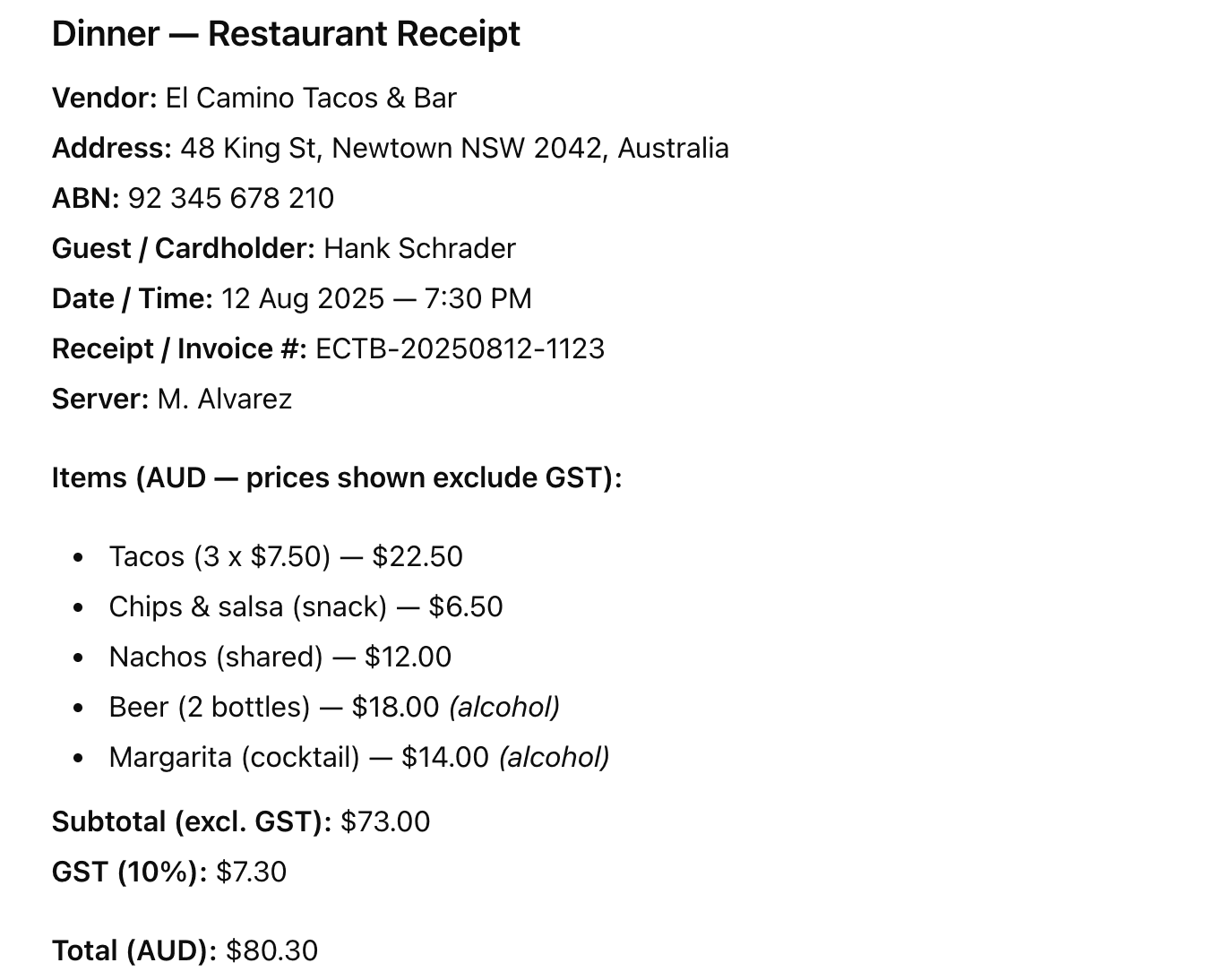
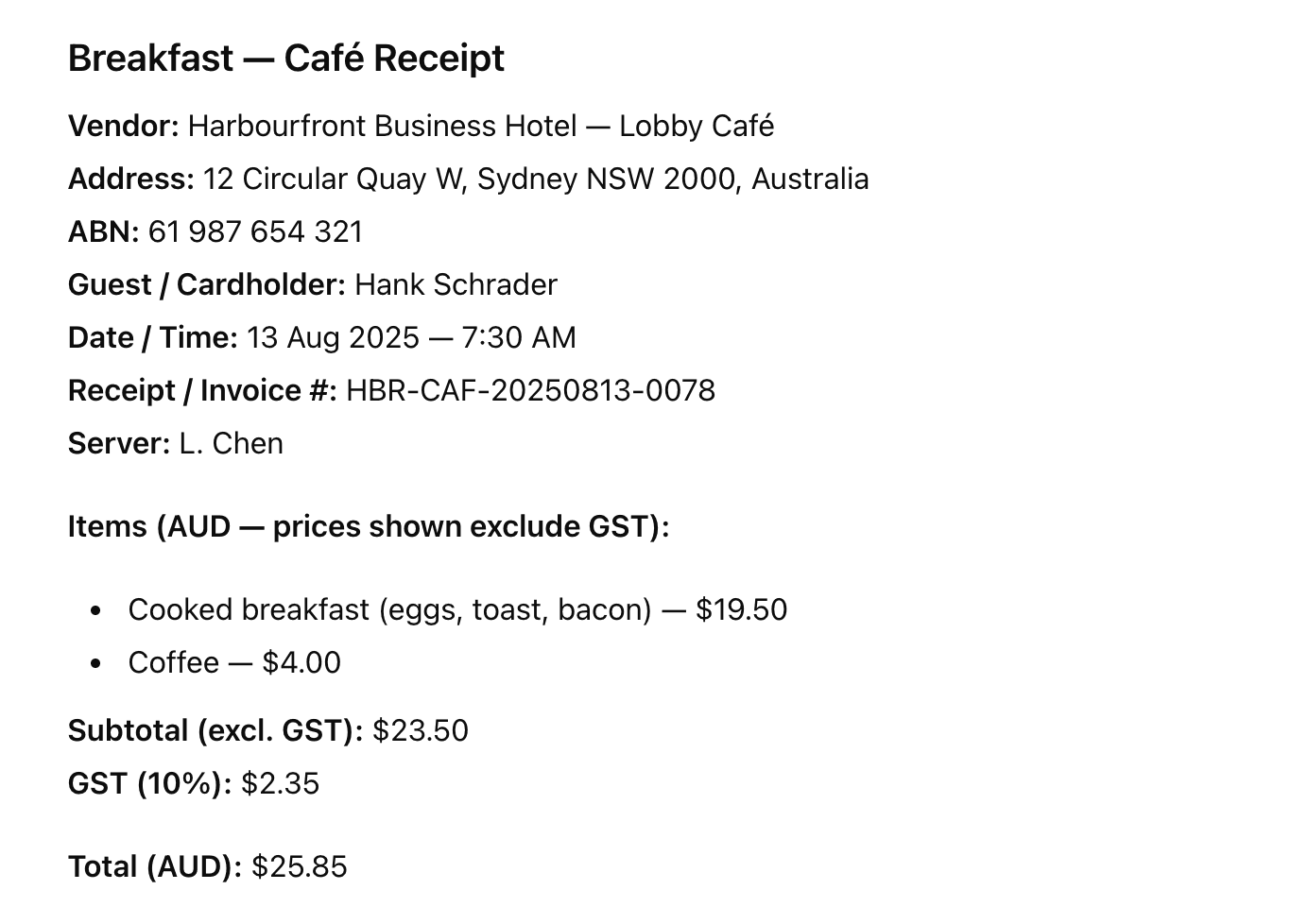
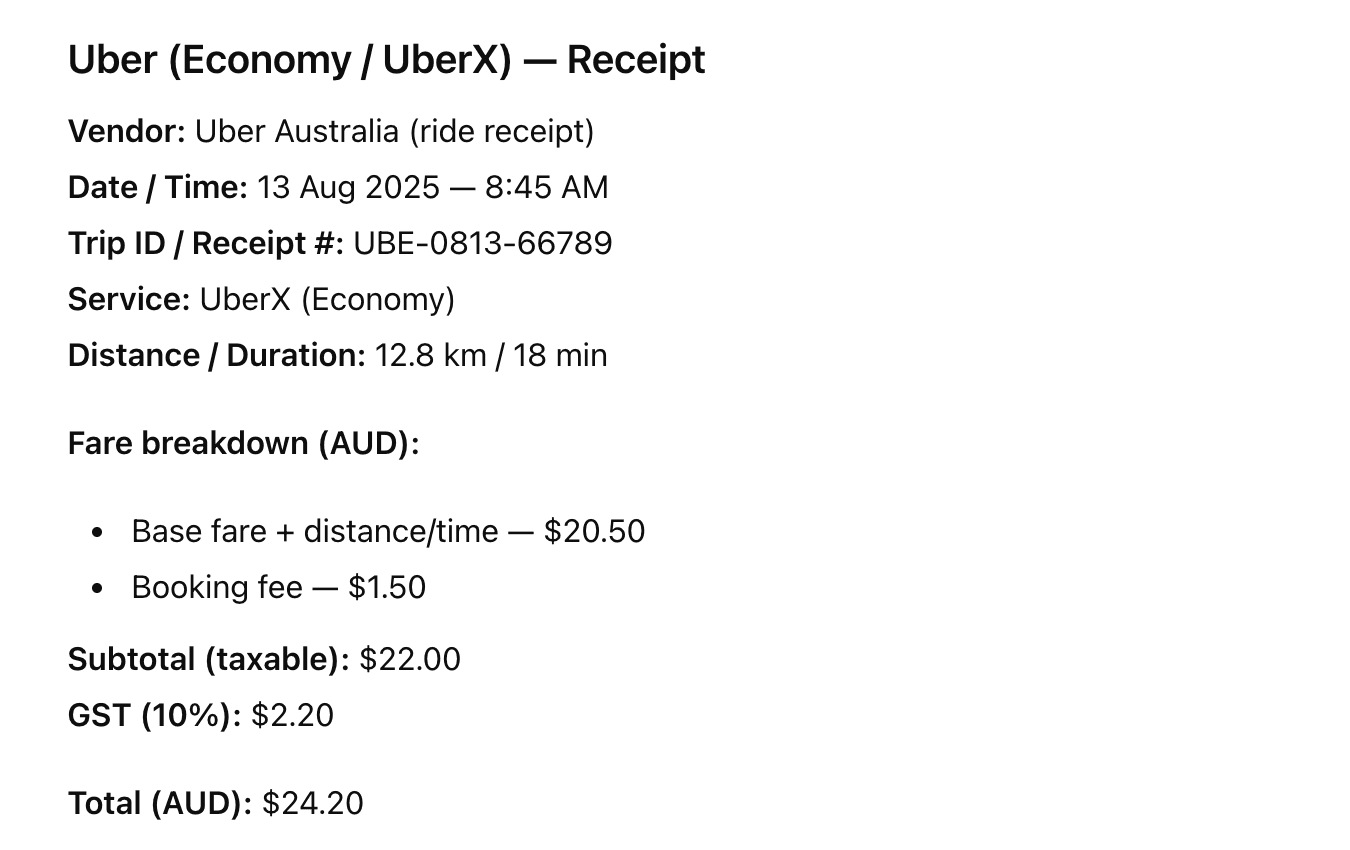
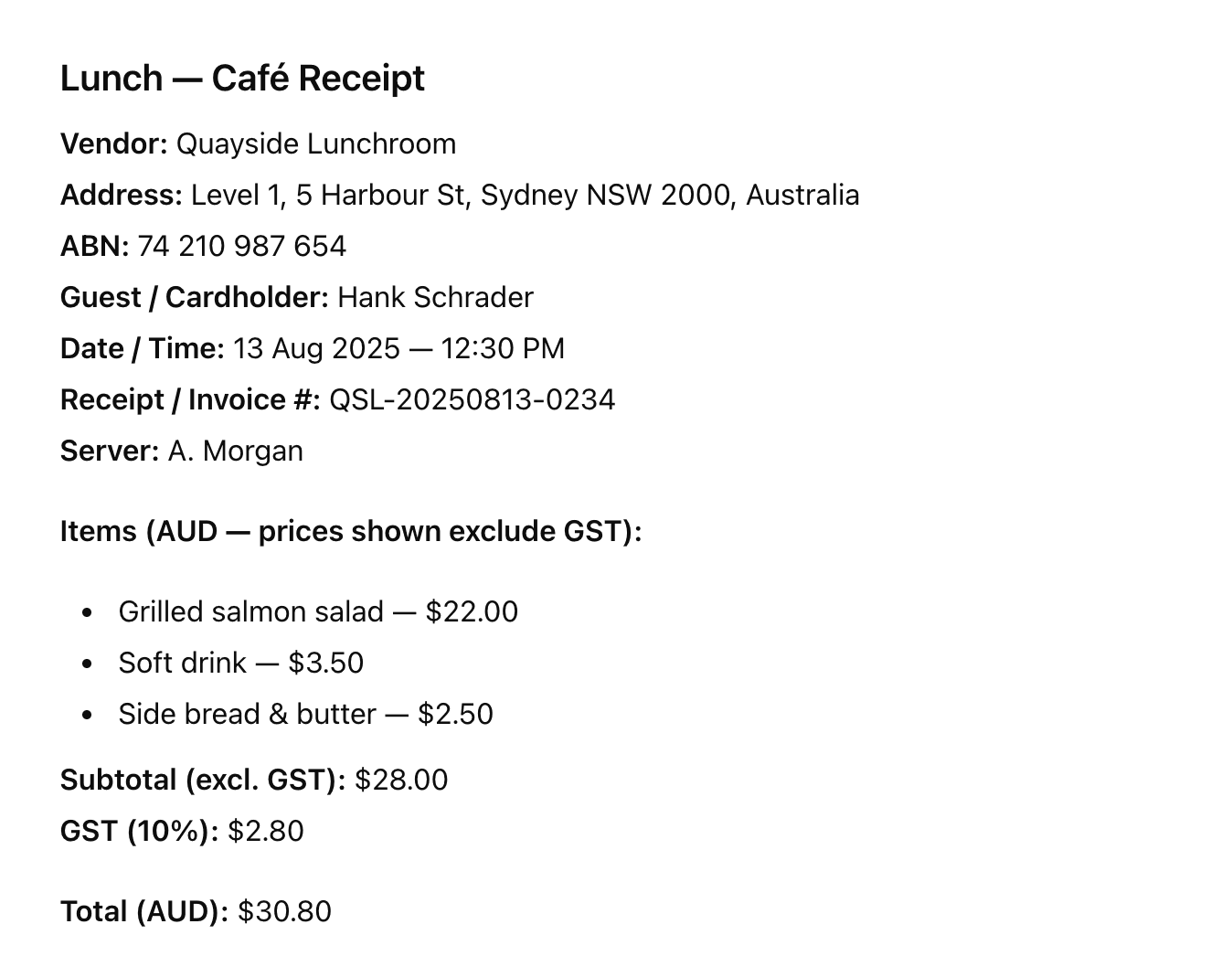
Tips:
Remember that AI might make mistakes, it is recommended to check it again yourself just to be safe. AI may interpret rules in a different way, always communicate the rules clearly before moving on. Be specific about your requirements and make sure AI understands the tasks.
Once you’ve set the rules with Claude, upload the receipts and you will see the corresponding records created in Xero, marked as pending approval. It is essential to carefully review these records before granting approval.
With these records generated in Xero, Claude can now access them and create either a report or an activity summary, depending on your needs. You can customise your summary or report and include any requirements you need. Whether it’s adding extra attributes or generating a downloadable PDF, simply tell Claude in plain English.